
About TNRegiNet Helper
TNRegiNet Helper is a free browser extension that saves you from typing the same details again and again on tnreginet.gov.in. A small panel appears in the corner of the page when a supported form is open. Type your values once, click one button, and the form is filled. You only type the captcha.
Document search
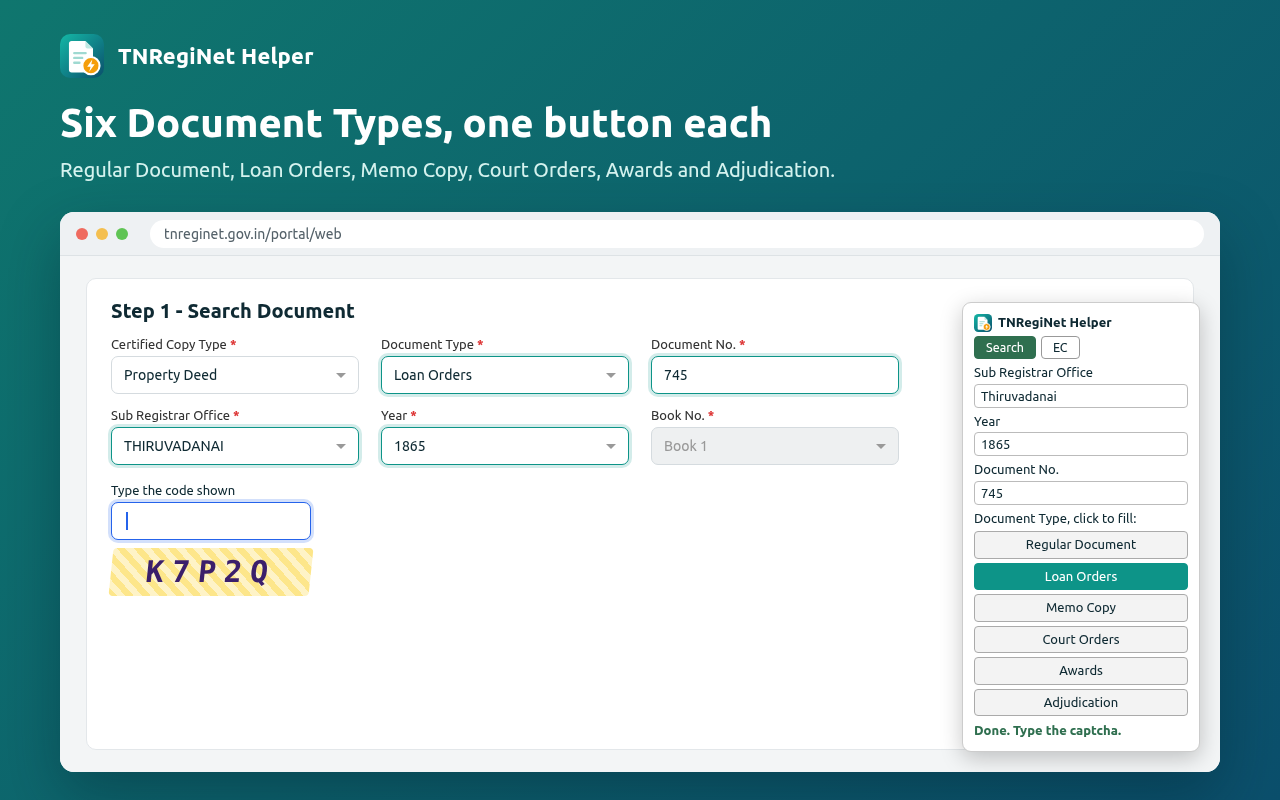
One button for each Document Type: Regular Document, Loan Orders, Memo Copy, Court Orders, Awards and Adjudication. Sub Registrar Office, Year and Document No. are filled for you.
EC applications
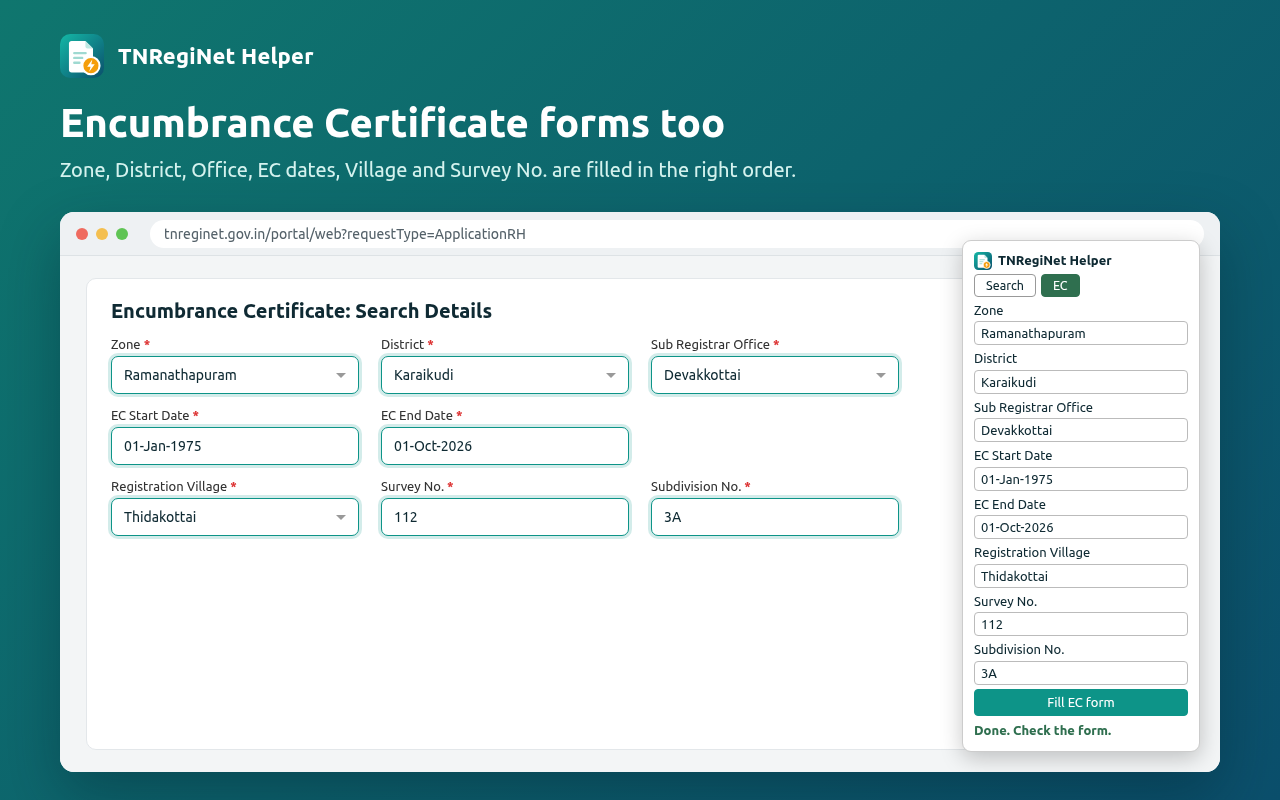
Zone, District, Sub Registrar Office, EC Start and End Date, Registration Village, Survey No. and Subdivision No. Each dropdown is chosen only after the one before it has loaded.
You stay in control
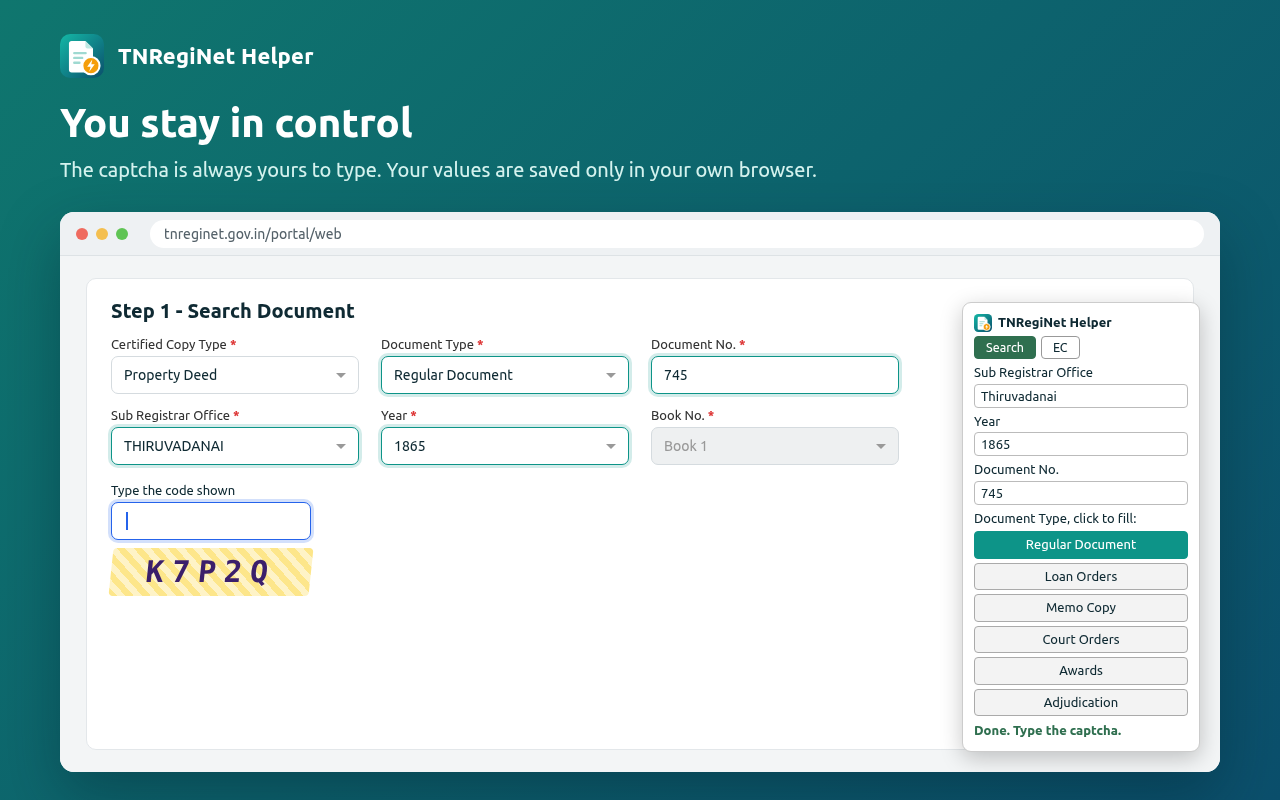
The captcha is never filled and nothing is submitted for you. Check the form and press Search or Add yourself.
Private by design
Your values are saved only in your own browser. Nothing is sent anywhere. It runs only on tnreginet.gov.in and needs no extra permissions.
- Install the extension and open
tnreginet.gov.in. - Go to the document search or EC application form. The TNRegiNet Helper panel appears at the bottom-right.
- Type your details in the panel once. They're remembered for next time.
- Click a Document Type button (Search tab) or Fill EC form (EC tab).
- Type the captcha and press Search.
Store graphics
Every file is at the exact size the Chrome Web Store asks for. Upload them in the developer dashboard under Store listing → Graphic assets.

Store icon
Download store-icon-128.png
Small promo tile
Download small-promo-tile-440x280.png
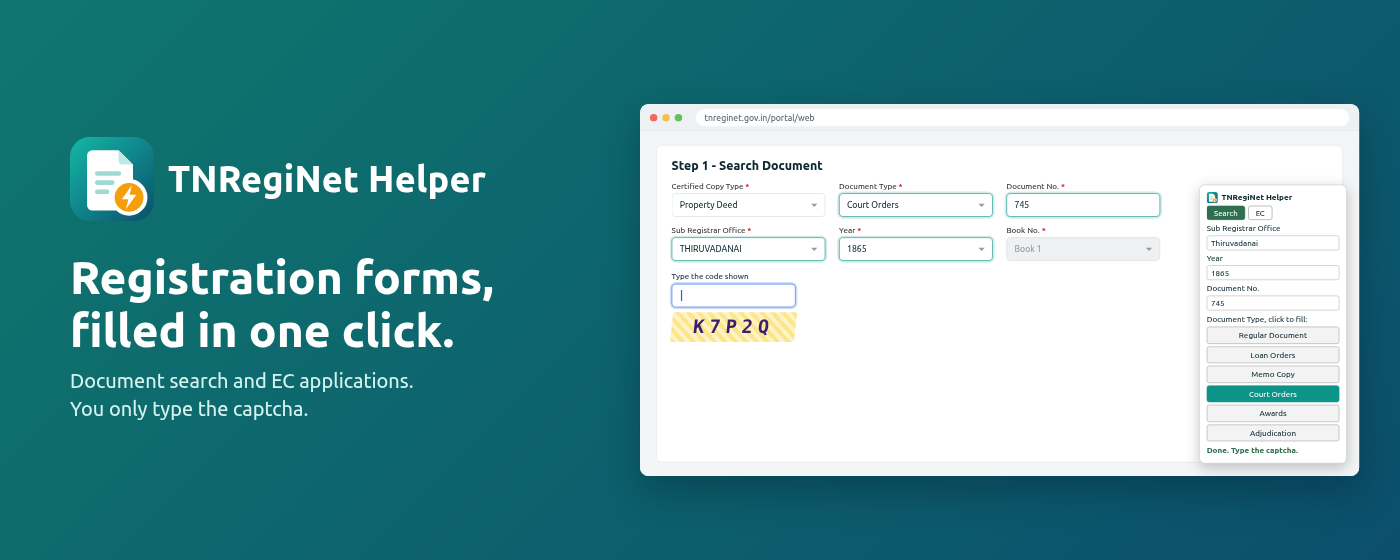
Marquee promo tile
Download marquee-promo-tile-1400x560.png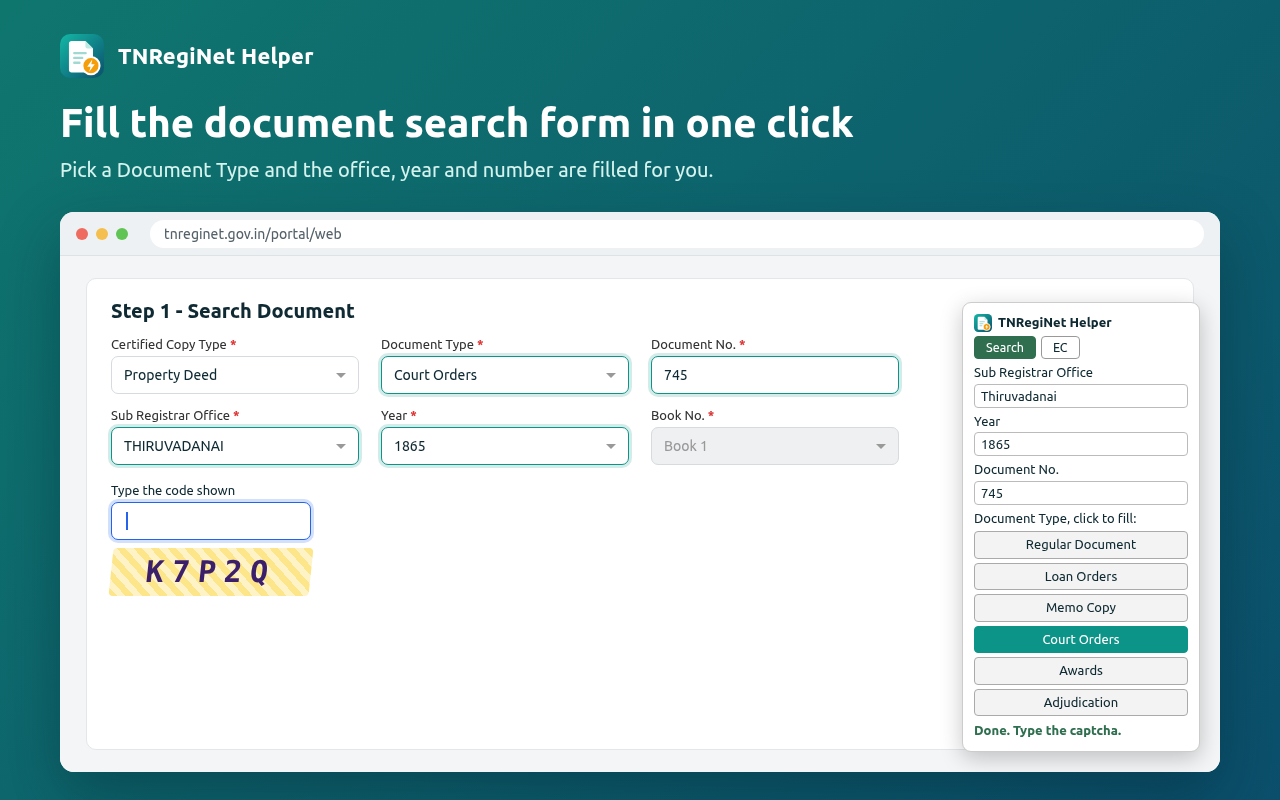
Screenshots (4)
Global promo video
Download tnreginet-helper-promo.mp4Store listing text
Paste these into Store listing. The name, summary and icons come from the uploaded zip automatically.
TNRegiNet Helper
Fill TNREGINET document search and EC application forms in one click. You type the captcha. Unofficial helper.
TNRegiNet Helper saves you from typing the same details again and again on tnreginet.gov.in.

A small panel appears in the corner of the page when a supported form is open. Type your values once, click one button, and the form is filled. You only type the captcha.

DOCUMENT SEARCH (Certified Copy, "Step 1 - Search Document")
• One button for each Document Type: Regular Document, Loan Orders, Memo Copy, Court Orders, Awards, Adjudication
• Fills Sub Registrar Office, Year and Document No.

ENCUMBRANCE CERTIFICATE (EC) APPLICATION
• Fills Zone, District, Sub Registrar Office, EC Start Date, EC End Date, Registration Village, Survey No. and Subdivision No.
• Waits for each dropdown to load before choosing the next, so they're filled in the right order

YOU STAY IN CONTROL
• The captcha is never filled. The cursor is placed in the captcha box for you.
• Nothing is submitted for you. Check the form and press Search or Add yourself.
• Your values are saved only in your own browser. Nothing is sent anywhere.

The extension only runs on tnreginet.gov.in and needs no extra permissions.

Unofficial helper. Not affiliated with or endorsed by the Registration Department, Government of Tamil Nadu.
| Category | Productivity → Tools |
|---|---|
| Language | English |
| Visibility | Public (or Unlisted while you test it with a few people) |
| Price | Free |
Privacy tab answers
The dashboard asks these before you can submit.
Fills the document search and Encumbrance Certificate application forms on tnreginet.gov.in with values the user enters in the extension's panel, so they don't have to retype them. The user always types the captcha and submits the form themselves.
The extension's only job is filling forms on tnreginet.gov.in, so its content script runs only on that site. It reads the form's labels to find the right fields and sets their values. It does not run on any other site.
| Remote code | No, I am not using remote code. ✓ |
|---|---|
| Data usage | Tick nothing. The values you type are kept in the browser's local storage for tnreginet.gov.in and never leave your computer. |
| Certifications | Tick all three (no selling data, no unrelated use, no creditworthiness use). |
| Privacy policy URL | Optional when no data is collected, but recommended. Put the text below on any page you control and paste its link. |
TNRegiNet Helper: Privacy Policy

TNRegiNet Helper does not collect, transmit, sell or share any personal data.

The values you type into the extension's panel (such as office, year, document number, village and survey number) are saved only in your own browser's local storage for tnreginet.gov.in, so they're ready next time. They are never sent to the developer or to any third party. You can delete them at any time by clearing your browser's site data for tnreginet.gov.in.

The extension runs only on tnreginet.gov.in, does not read or store captchas, and does not submit forms on your behalf.

TNRegiNet Helper is an unofficial tool and is not affiliated with the Registration Department, Government of Tamil Nadu.
How to publish
- Open the Chrome Web Store developer dashboard and sign in. The first time, Google asks for a one-time US$5 registration fee.
- Click New item and upload
tnreginet-helper-1.2.0.zip(the orange button at the top). Don't unzip it. - Store listing: paste the description, pick the category and language, upload the store icon, the 4 screenshots, the small promo tile and the marquee tile.
- Upload
tnreginet-helper-promo.mp4to YouTube (Public or Unlisted) and paste its link into Global promo video. - Privacy: fill in the answers above.
- Distribution: Free, Public (or Unlisted), all regions or just India.
- Click Submit for review. Review usually takes a few days; Google emails you the result.
- For later updates, raise
"version"inmanifest.json(for example to 1.2.1), zip the same files again and upload the new zip on the item's Package tab.